
Finding the best ai automation workflows for small business owners saved my sanity when my inbox began overflowing last spring. I was working fourteen hour days, drowning in repetitive admin tasks, and constantly dropping important client leads. Building simple automated systems changed everything for my daily peace of mind. You do not need a fancy computer science degree to reclaim your weekends starting right now.
Step 1: Capturing and Qualifying New Leads Instantly
Identifying the best ai automation workflows for small business owners often starts right at the front door of your digital office: your intake forms. I remember when a warm lead would submit an inquiry on my site, only for me to see it six hours later because I was buried in client work. By then, they had already booked a call with my faster competitor. To fix this, I set up a webhook trigger using Typeform that instantly passes all form submission text directly to OpenAI via a custom Zapier connector.
The AI analyzes the budget, timeline, and project description against my ideal client profile. If the fit looks promising, the workflow instantly generates a personalized draft in my Gmail folder, pulling specific details from their inquiry to show we truly understand their needs. My biggest mistake early on was letting the AI send these replies immediately without a human safety net. Now, I keep the action set to “create draft” so I can quickly scan, tweak, and send the email in under thirty seconds, keeping my response times incredibly fast while maintaining that essential personal touch. This simple approach to lead qualification keeps my pipeline full without consuming my entire afternoon.

Step 2: Automating Client Onboarding and Contract Signing
Once a prospect says yes, the actual administrative nightmare usually begins. Manually drafting agreements, setting up client folders, and sending calendar links can easily eat up three hours of your afternoon. To streamline this, I built a flow that triggers the moment I drag a deal to the “Closed Won” column inside my HubSpot pipeline. Zapier automatically grabs the client’s name and pricing details, populating a contract template inside PandaDoc and sending it directly to their inbox for a digital signature.
Also read;https://terswa.site/how-to-automate-customer-support-with-ai-tools-easily-2026/
Simultaneously, the automation creates a dedicated Google Drive folder for their assets and generates a private Slack channel where my team can communicate with them. This setup ensures that we maintain an incredibly professional, polished, and fast client onboarding experience without me having to push a single button. I highly recommend adding an automated notification step that pings your phone via Slack if the contract remains unsigned after three business days. This keeps the deal moving forward without you needing to manually audit your outstanding agreements every single morning.
Step 3: Streamlining Customer Support with Intelligent Routing
Managing support emails is a constant battle of prioritizing urgent issues while not getting distracted by routine inquiries. I used to spend hours sorting through passwords resets, billing questions, and feature requests, which completely derailed my deep-work sessions. I solved this by connecting my support inbox to Make.com and setting up a natural language processing step with OpenAI. The system reads every incoming message, analyzes the sentiment, and flags urgent technical issues or angry customers with a high priority tag.
This intelligent routing system instantly categorizes the email, drafts a highly accurate response pulling directly from our internal Notion knowledge base, and assigns it to the correct team member. For simple password or access issues, the AI can even send the guide directly, closing out the ticket without human intervention. An invaluable tip I learned is to always include a fallback folder. If the AI is unsure about the sentiment or context of an email, it automatically routes it to my personal review folder so no customer ever receives a bizarre or unhelpful automated reply.

Step 4: Managing Social Media Scheduling and Content Creation
Maintaining a consistent presence on social media feels like a full-time job in itself, especially when you are trying to run the actual operations of your company. I used to stare at a blank screen for hours trying to draft LinkedIn posts and Twitter threads from scratch. Now, I use an automated content engine that repurposes my existing work. Whenever I publish a new long-form blog post, a custom workflow grabs the text and feeds it to Claude via Zapier.
The model is trained on my specific writing style and brand voice to pull out three punchy social media updates, a short newsletter highlight, and two actionable tips. It then drops these drafts directly into an Airtable database where I can quickly review them. Utilizing this method of automated content repurposing has reduced my weekly marketing prep work from five hours to just twenty minutes. Just remember to train your AI prompts with your own writing style guidelines, otherwise your posts will end up filled with generic, cheesy marketing jargon that instantly turns readers off.
Step 5: Handing Off Invoicing and Expense Tracking
When looking for the best ai automation workflows for small business owners to protect your cash flow, your financial operations should always be top of mind. Bookkeeping is notoriously tedious, but keeping accurate books is non-negotiable if you want to scale. I created an automation that monitors my email account for anything containing the words receipt, invoice, or bill. The system extracts the PDF attachments and passes them to an OCR tool that uses AI to identify the merchant, date, tax, and line items.
The clean data is then sent straight to QuickBooks Online to automatically match the transaction to my synced business credit card feed. This hands-off expense categorization saves me from staring at a pile of crumpled paper receipts at the end of every fiscal quarter. My biggest recommendation is to set a threshold of one hundred dollars for automated matching. Anything above that amount should trigger a Slack message to you for quick manual validation, ensuring your high-ticket purchases are always categorized with one hundred percent accuracy.

How to Build the Best AI Automation Workflows for Small Business Owners
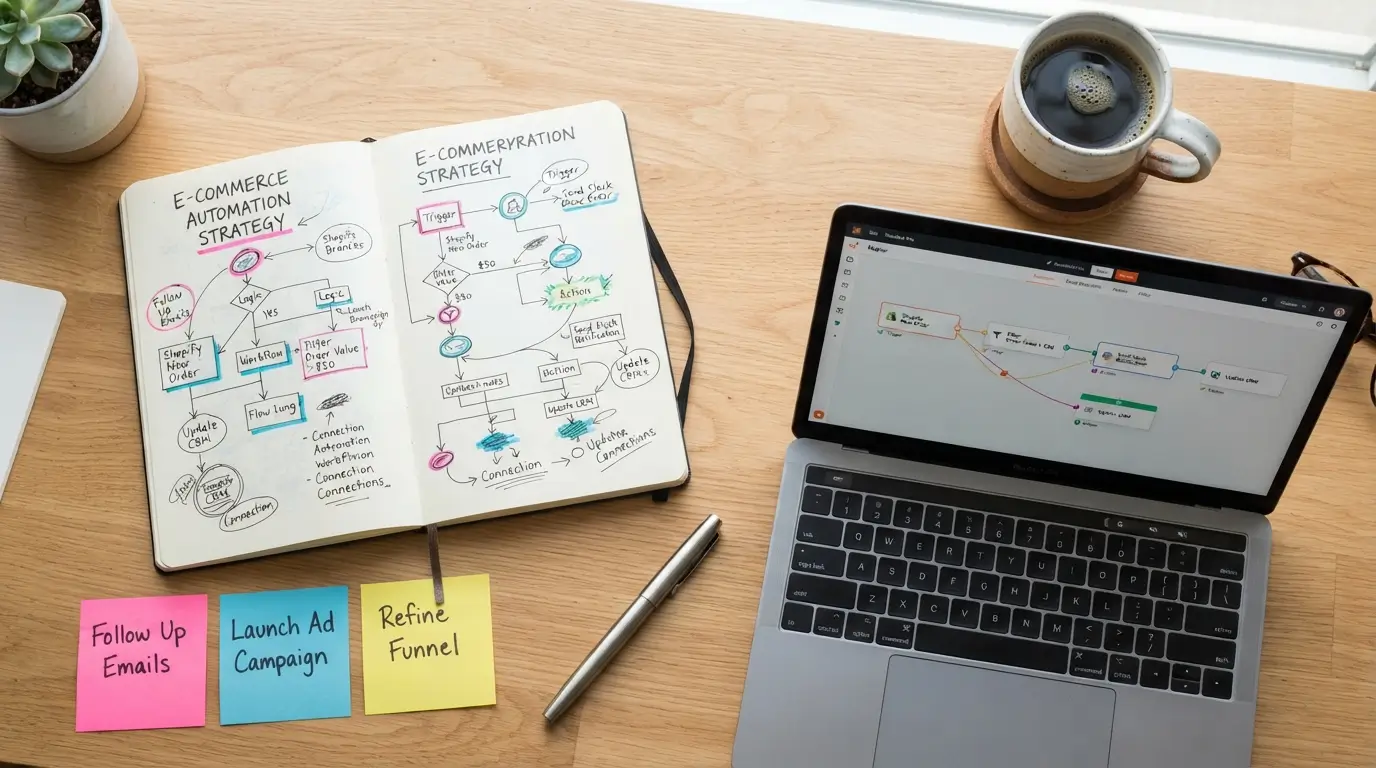
How to build the best ai automation workflows for small business owners successfully starts with a simple pen and paper, not a complex software subscription. Too many founders make the mistake of trying to automate everything at once, which inevitably leads to broken links, missed notifications, and massive customer service headaches. IMO, you should start by auditing your calendar and identifying the single most repetitive task that takes you away from income-generating work. Once you map that specific process out step-by-step, you can easily identify where a simple tool can step in.
I recommend using Zapier for simple, linear automations and Make.com when you need more complex, multi-branch logic with heavier data formatting. Always build your systems slowly, testing each step with dummy data before you let it touch your actual live client base. When I first started setting up the best ai automation workflows for small business owners, I tried to automate my entire business in one weekend and ended up breaking my whole email system. It is incredibly easy to get overwhelmed by all the fancy features, but the most effective setups are always the simplest ones that consistently work. By slowly introducing these systems into your business, you will find yourself working on your company instead of constantly fighting to survive inside of it. Identifying your biggest operational bottlenecks first ensures you build workflows that actually return time to your calendar.
Frequently Asked Questions
Do I need to know how to code to set these up?
No coding skills are required to build these systems. Modern platforms like Zapier and Make.com are completely visual drag-and-drop builders. You can easily connect your favorite business apps using their built-in integrations, allowing you to create complex data pathways without writing a single line of code.
How much do the best AI automation systems for small businesses cost?
You can start building basic systems for free. As your business grows, you will likely spend around fifty to one hundred dollars monthly on premium subscription tiers for tools like Zapier, Make, and OpenAI API usage. The massive amount of hours saved makes this a highly profitable investment.
Will automating my client communication make my brand feel cold?
Not if you design your systems thoughtfully. The trick is using AI to generate internal drafts and handle back-end organization, leaving the actual sending and final polishing to you. This hybrid approach keeps your operational efficiency high while protecting the personal, human relationships that build long-term brand loyalty.
What happens if an automated workflow breaks?
Systems do occasionally break due to API updates or password changes. To prevent disasters, you should always set up error alerts that send a text message or Slack ping when a step fails. This allows you to jump in and fix the issue before your clients notice anything.
Which tool is better for beginners, Zapier or Make?
Zapier is definitely the most user-friendly starting point for beginners due to its clean interface and simple, step-by-step setup logic. Make is significantly cheaper and offers much more powerful routing options, but it comes with a much steeper learning curve that can feel overwhelming at first.
Conclusion
Reclaiming your time through automation is not about replacing your human touch, but about giving yourself the freedom to focus on the creative work you actually love. Start with just one of these simple setups this week and watch how quickly your daily mental load decreases. Which of these areas of your business are you planning to automate first?




Leave a Reply